
Trying ping dynazu.com gives: joel@laptop:~$ sudo ping dynazu.com PING dynazu.com(2600:3c01::f03c:92ff:fe3b:2efa) 56 data bytes and never completes...
Ifconfig gives:
joel@laptop:~$ ifconfig -a enp59s0: flags=4099<UP,BROADCAST,MULTICAST> mtu 1500 ether 80:fa:5b:4d:02:1c txqueuelen 1000 (Ethernet) RX packets 0 bytes 0 (0.0 B) RX errors 0 dropped 0 overruns 0 frame 0 TX packets 0 bytes 0 (0.0 B) TX errors 0 dropped 0 overruns 0 carrier 0 collisions 0 lo: flags=73<UP,LOOPBACK,RUNNING> mtu 65536 inet 127.0.0.1 netmask 255.0.0.0 inet6 ::1 prefixlen 128 scopeid 0x10<host> loop txqueuelen 1000 (Local Loopback) RX packets 75393 bytes 6750015 (6.7 MB) RX errors 0 dropped 0 overruns 0 frame 0 TX packets 75393 bytes 6750015 (6.7 MB) TX errors 0 dropped 0 overruns 0 carrier 0 collisions 0 wlp61s0: flags=4163<UP,BROADCAST,RUNNING,MULTICAST> mtu 1500 inet 192.168.1.120 netmask 255.255.255.0 broadcast 192.168.1.255 inet6 fe80::8c22:f09:2f43:7d37 prefixlen 64 scopeid 0x20<link> inet6 2601:283:8100:e47:786d:47ae:6c34:cfd7 prefixlen 64 scopeid 0x0<global> inet6 2601:283:8100:e47:18e4:8d44:9b2a:9a3f prefixlen 64 scopeid 0x0<global> inet6 2601:283:8100:e47:9535:577e:659b:1303 prefixlen 64 scopeid 0x0<global> ether 44:03:2c:64:ee:0c txqueuelen 1000 (Ethernet) RX packets 1933500 bytes 1593080389 (1.5 GB) RX errors 0 dropped 2 overruns 0 frame 0 TX packets 1176044 bytes 267935104 (267.9 MB) TX errors 0 dropped 0 overruns 0 carrier 0 collisions 0 as expected. traceroot gives:
traceroute -n traceroute to (172.217.12.4), 30 hops max, 60 byte packets 1 192.168.1.1 1.495 ms 1.529 ms 1.483 ms 2 96.120.13.9 16.368 ms 16.282 ms 16.257 ms 3 96.110.194.213 18.913 ms 18.979 ms 21.256 ms 4 68.85.89.189 14.760 ms 16.986 ms 14.663 ms 5 68.86.92.121 19.538 ms 19.506 ms 19.489 ms 6 68.86.83.94 19.379 ms 18.511 ms 18.397 ms 7 23.30.207.162 15.685 ms 23.30.206.218 13.349 ms 50.248.118.30 13.242 ms 8 * * 108.170.252.193 11.894 ms 9 216.239.49.41 18.998 ms 18.967 ms 216.239.49.43 17.238 ms 10 172.217.12.4 17.138 ms 216.239.49.43 17.598 ms 172.217.12.4 16.329 ms as expected.
The website: Dynazu.com is at ip4:45.33.111.61 and pi6: 2600:3c01::f03c:92ff:fe3b:2efa
ping 45.33.111.61 gives:
joel@laptop:~$ ping 45.33.111.61 ping: socket: Operation not permitted joel@laptop:~$ sudo ping 45.33.111.61 gives:
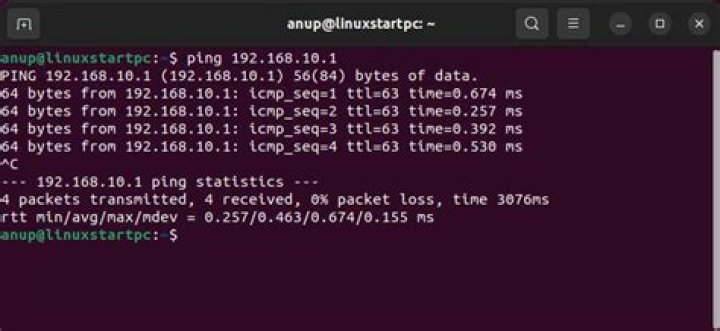
PING 45.33.111.61 (45.33.111.61) 56(84) bytes of data. 64 bytes from 45.33.111.61: icmp_seq=1 ttl=51 time=40.1 ms 64 bytes from 45.33.111.61: icmp_seq=2 ttl=51 time=40.3 ms 64 bytes from 45.33.111.61: icmp_seq=3 ttl=51 time=39.8 ms 64 bytes from 45.33.111.61: icmp_seq=4 ttl=51 time=40.3 ms So why does ping fail with authentication?
ping 2600:3c01::f03c:92ff:fe3b:2efa gives:
ping: socket: Operation not permitted sudo ping 2600:3c01::f03c:92ff:fe3b:2efa gives:
joel@laptop:~$ sudo ping 2600:3c01::f03c:92ff:fe3b:2efa PING 2600:3c01::f03c:92ff:fe3b:2efa(2600:3c01::f03c:92ff:fe3b:2efa) 56 data bytes and no more.
Any ideas?
11 Answer
Find out where the ping package is.It might have a different location. On my Ubuntu 18.04 machine, it is in /bin. Use type -a ping to locate it. Next, verify that it is there and is owned by root and is permed 755 (or similar)
ls -lsa /bin/ping sudo chmod 4711 /bin/ping Verify that the fix worked ls -lsa /bin/ping
ping 2600:3c01::f03c:92ff:fe3b:2efa