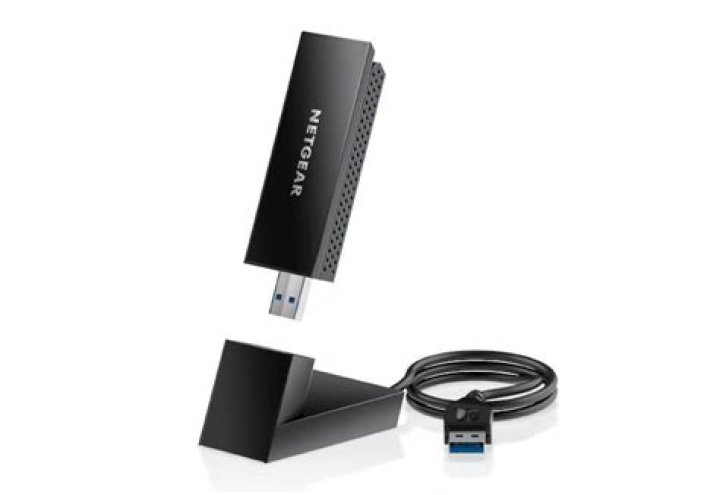

My netgear wireless adapter appears to be the same model as from this thread, but the steps didn't end up working out for me. No errors were given. Note: This is the second attempt, so some files are already installed/updated. I'm on a fresh install of Ubuntu 16.04, I'm not used to the environment.
Here's the terminal after each step:
Note: I can't post more than 2 links, so I delete the http:// in front of the hits/gets.
$ lsusb Bus 001 Device 005: ID 0846:9011 NetGear, Inc. WNDA3100v2 802.11abgn [Broadcom BCM4323] $ sudo apt-get update Hit:1 xenial InRelease Get:2 xenial-updates InRelease [95.7 kB] Hit:3 xenial-backports InRelease Get:4 xenial-security InRelease [94.5 kB] Fetched 190 kB in 1s (142 kB/s) Reading package lists... Done $ sudo apt-get install ndiswrapper-common ndiswrapper-utils-1.9 Reading package lists... Done Building dependency tree Reading state information... Done Note, selecting 'ndiswrapper' instead of 'ndiswrapper-common' ndiswrapper is already the newest version (1.59-6). ndiswrapper-utils-1.9 is already the newest version (1.59-6). 0 upgraded, 0 newly installed, 0 to remove and 59 not upgraded.Downloaded the files from post #6 and put them onto my desktop.
$ arch x86_64 $ cd ~/Desktop/Broadcom_bcm43xx_USB_32_64bit_v2My command line now appears as:
shawn@shawn-Z68XP-UD3P:~/Desktop/Broadcom_bcm43xx_USB_32_64bit_v2$As arch returned x84_64 I issued:
$ sudo ndiswrapper -i bcmn43xx64.inf driver bcmn43xx64 is already installed $ sudo ndiswrapper -ma module configuration information is stored in /etc/modprobe.d/ndiswrapper.confThis step didn't return any information back.
sudo depmod -aThis step also didn't return any information back.
sudo modprobe ndiswrapper
Thanks for any help. I was going to pm Chili555, the author of the answer to the previous thread, but I couldn't find an option. (Maybe I need more rep?)
Edit 1:
$ dmesg | grep ndis [25668.481615] rndis_host 5-2:1.0 usb0: register 'rndis_host' at usb-0000:06:00.0-2, RNDIS device, 02:06:52:50:34:39 [25668.481640] usbcore: registered new interface driver rndis_host [25668.490912] rndis_host 5-2:1.0 enp6s0u2: renamed from usb0 with the correct adapter in:
$ dmesg | grep ndis [25668.481615] rndis_host 5-2:1.0 usb0: register 'rndis_host' at usb-0000:06:00.0-2, RNDIS device, 02:06:52:50:34:39 [25668.481640] usbcore: registered new interface driver rndis_host [25668.490912] rndis_host 5-2:1.0 enp6s0u2: renamed from usb0 [27435.290896] rndis_host 5-2:1.0 enp6s0u2: unregister 'rndis_host' usb-0000:06:00.0-2, RNDIS device [53404.308888] rndis_host 5-2:1.0 usb0: register 'rndis_host' at usb-0000:06:00.0-2, RNDIS device, 02:06:52:50:34:39 [53404.321914] rndis_host 5-2:1.0 enp6s0u2: renamed from usb0 [53499.506118] ndiswrapper: module verification failed: signature and/or required key missing - tainting kernel [53499.507750] ndiswrapper version 1.59 loaded (smp=yes, preempt=no) [53499.681200] ndiswrapper: driver bcmn43xx64 (,08/26/2009, 5.10.79.30) loaded [53499.788872] rndis_host 5-2:1.0 enp6s0u2: unregister 'rndis_host' usb-0000:06:00.0-2, RNDIS device [53500.230542] usbcore: registered new interface driver ndiswrapper [53500.236500] ndiswrapper 1-1.4:1.0 enxe0469a00acaa: renamed from wlan0 [53500.261564] ndiswrapper: interface renamed to 'enxe0469a00acaa' [53522.657592] rndis_host 5-2:1.0 usb0: register 'rndis_host' at usb-0000:06:00.0-2, RNDIS device, 02:06:52:50:34:39 [53522.676968] rndis_host 5-2:1.0 enp6s0u2: renamed from usb0 1 Answer
According to the comments reinstalling ndiswrapper and reperforming the steps following the installation fixed the issue. To reinstall ndiswrapper:
sudo apt-get install --reinstall ndiswrapper ndiswrapper-dkms