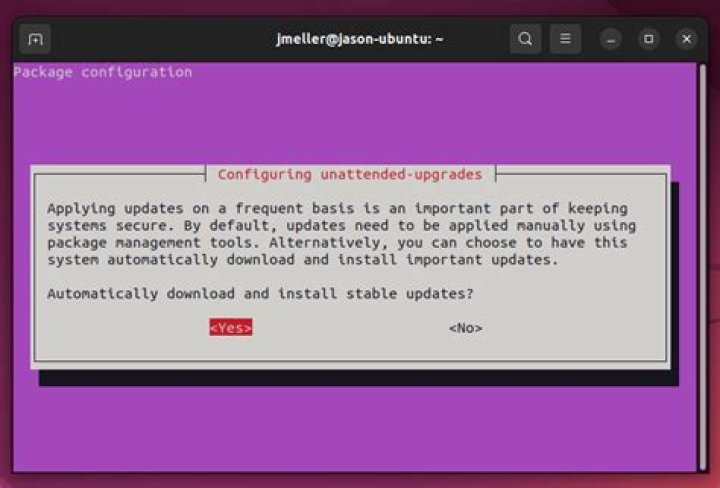

I have a pretty fresh install of Ubuntu 20.04 and don't remember specifically installing unattended-upgrades, but it seems enabled. As part of the MOTD when logging in I see:
16 updates could not be installed automatically. For more details, see /var/log/unattended-upgrades/unattended-upgrades.log cat /var/log/unattended-upgrades/unattended-upgrades.log reveals these are nvidia-driver packages.
2021-06-06 16:49:02,358 DEBUG pkgs that look like they should be upgraded: 2021-06-06 16:49:02,382 DEBUG fetch.run() result: 0 2021-06-06 16:49:02,391 DEBUG Packages blacklist due to conffile prompts: [] 2021-06-06 16:49:02,391 INFO No packages found that can be upgraded unattended and no pending auto-removals 2021-06-06 16:49:02,443 DEBUG Package libnvidia-cfg1-465 has a higher version available, checking if it is from an allowed origin and is not pinned down. 2021-06-06 16:49:02,445 INFO Package libnvidia-cfg1-465 is kept back because a related package is kept back or due to local apt_preferences(5). 2021-06-06 16:49:02,445 DEBUG Package libnvidia-common-465 has a higher version available, checking if it is from an allowed origin and is not pinned down. 2021-06-06 16:49:02,447 INFO Package libnvidia-common-465 is kept back because a related package is kept back or due to local apt_preferences(5). ... 2021-06-06 16:49:02,489 DEBUG Package nvidia-driver-465 has a higher version available, checking if it is from an allowed origin and is not pinned down. 2021-06-06 16:49:02,490 INFO Package nvidia-driver-465 is kept back because a related package is kept back or due to local apt_preferences(5). However, I'm not able to update any of these packages and it seems as if they're all the latest version.
$ sudo aptitude install nvidia-driver-465 nvidia-driver-465 is already installed at the requested version (465.19.01-0ubuntu1) nvidia-driver-465 is already installed at the requested version (465.19.01-0ubuntu1) No packages will be installed, upgraded, or removed. 0 packages upgraded, 0 newly installed, 0 to remove and 0 not upgraded. Need to get 0 B of archives. After unpacking 0 B will be used. $ sudo aptitude full-upgrade No packages will be installed, upgraded, or removed. 0 packages upgraded, 0 newly installed, 0 to remove and 0 not upgraded. Need to get 0 B of archives. After unpacking 0 B will be used. I'd like to keep unattended-upgrades, but seeing this message is driving me nuts. How can I get unattended-upgrades to recognize that everything is up to date, or how can I update packages that already appear to be up to date?
11 Answer
I eventually found the pin in /etc/apt/preferences.d
ls /etc/apt/preferences.d cuda-repository-pin-600 Which seemed to be leftover from a cuda install I didn't really need. So I purged the cuda install, and removed the pin.
sudo apt purge cuda* sudo rm /etc/apt/preferences.d/cuda-repository-pin-600 sudo apt autoremove sudo apt autoclean And then was able to update the (still installed) drivers using unattended-upgrade
sudo unattended-upgrade -d after installing the driver updates and rebooting, nvidia-smi still works