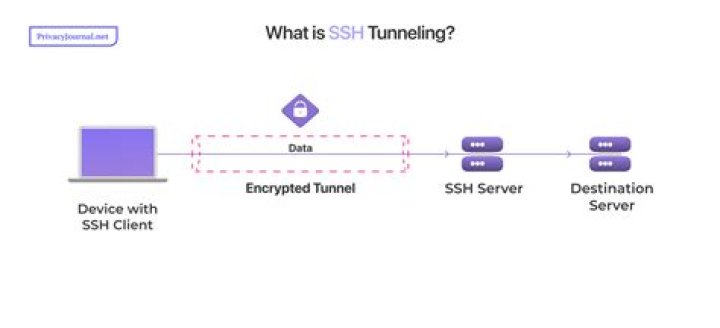

I want to send Rsyslog request through ssh tunnel.
client(C) <----------------------> server(S)
On the client side I run this: ssh -L 2222:localhost:514 user@S When I check (netstat -tulpn) the client has port 2222 opened The server rsyslog file is unchanged.
# /etc/rsyslog.conf configuration file for rsyslog # # For more information install rsyslog-doc and see # /usr/share/doc/rsyslog-doc/html/configuration/index.html # # Default logging rules can be found in /etc/rsyslog.d/50-default.conf ################# #### MODULES #### ################# module(load="imuxsock") # provides support for local system logging #module(load="immark") # provides --MARK-- message capability # provides UDP syslog reception module(load="imudp") input(type="imudp" port="514") # provides TCP syslog reception module(load="imtcp") input(type="imtcp" port="514") # provides kernel logging support and enable non-kernel klog messages module(load="imklog" permitnonkernelfacility="on") ########################### #### GLOBAL DIRECTIVES #### ########################### # # Use traditional timestamp format. # To enable high precision timestamps, comment out the following line. # $ActionFileDefaultTemplate RSYSLOG_TraditionalFileFormat # Filter duplicated messages $RepeatedMsgReduction on # # Set the default permissions for all log files. # #$FileOwner syslog #$FileGroup adm #$FileCreateMode 0640 #$DirCreateMode 0755 #$Umask 0022 #$PrivDropToUser syslog #$PrivDropToGroup syslog # # # # # Where to place spool and state files # The Client config:
# /etc/rsyslog.conf configuration file for rsyslog # # For more information install rsyslog-doc and see # /usr/share/doc/rsyslog-doc/html/configuration/index.html # # Default logging rules can be found in /etc/rsyslog.d/50-default.conf ################# #### MODULES #### ################# # # this custom file pooling # module(load="imfile" PollingInterval="10") #needs to be done just once # File 1 input(type="imfile" File="/home/user/Documents/test/my_test.log" Tag="tag1" Severity="error" Facility="local7") ## File 2 #input(type="imfile" # File="/path/to/file2" # Tag="tag2") # module(load="imuxsock") # provides support for local system logging #module(load="immark") # provides --MARK-- message capability # provides UDP syslog reception #module(load="imudp") #input(type="imudp" port="514") # provides TCP syslog reception #module(load="imtcp") #input(type="imtcp" port="514") # provides kernel logging support and enable non-kernel klog messages module(load="imklog" permitnonkernelfacility="on") ########################### #### GLOBAL DIRECTIVES #### ########################### # # Use traditional timestamp format. # To enable high precision timestamps, comment out the following line. # $ActionFileDefaultTemplate RSYSLOG_TraditionalFileFormat # Filter duplicated messages $RepeatedMsgReduction on # # Set the default permissions for all log files. # $FileOwner syslog $FileGroup adm $FileCreateMode 0640 $DirCreateMode 0755 $Umask 0022 $PrivDropToUser syslog $PrivDropToGroup syslog # # Where to place spool and state files # $WorkDirectory /var/spool/rsyslog # # Include all config files in /etc/rsyslog.d/ # $IncludeConfig /etc/rsyslog.d/*.conf *.* @127.0.0.1:2222 I also tried to user nc for testing but get no result : echo 'test my syslog ' | nc -v -u -w 0 localhost 2222.
No that I use the server ip (echo 'test my syslog ' | nc -v -u -w 0 S-ip 2222), it works fine.
I don't know want I doing wrong. Does it has something to the with tcp/udp.
Can someone help for this ? I as working on ubuntu 22.04 (S and C).
Thank you .
Reset to default