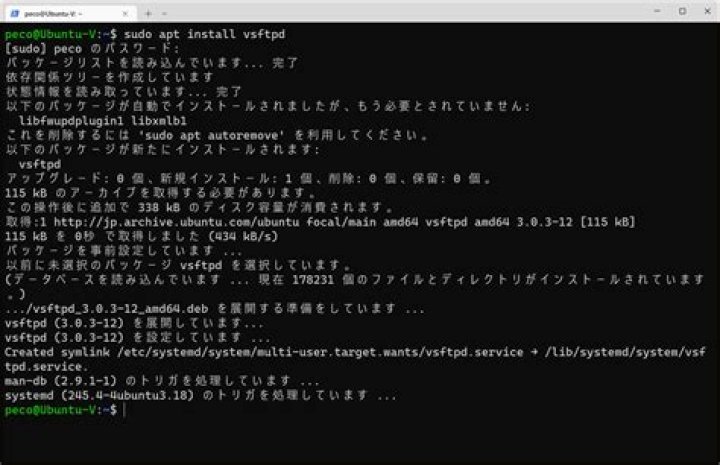

I installed vsftpd using sudo apt install vsftpd. I then edited /etc/vsftpd.conf following the instructions in this tutorial: . I ensured that /etc/vsftpd.conf was owned by root. The file contents follow:
listen=YES listen_ipv6=YES anonymous_enable=NO local_enable=YES write_enable=YES local_umask=022 #anon_upload_enable=YES #anon_mkdir_write_enable=YES dirmessage_enable=YES use_localtime=YES xferlog_enable=YES connect_from_port_20=YES #xferlog_file=/var/log/vsftpd.log #xferlog_std_format=YES #idle_session_timeout=600 #data_connection_timeout=120 #nopriv_user=ftpsecure #async_abor_enable=YES #ascii_upload_enable=YES #ascii_download_enable=YES ftpd_banner=Welcome to WiseOldBird FTP Test service. #deny_email_enable=YES #banned_email_file=/etc/vsftpd.banned_emails chroot_local_user=YES #chroot_list_enable=YES #chroot_list_file=/etc/vsftpd.chroot_list #ls_recurse_enable=YES secure_chroot_dir=/var/run/vsftpd/empty pam_service_name=vsftpd rsa_cert_file=/etc/ssl/certs/ssl-cert-snakeoil.pem rsa_private_key_file=/etc/ssl/private/ssl-cert-snakeoil.key ssl_enable=NO # utf8_filesystem=YES allow_writable_chroot=YES I disabled automatic starting of vsftpd with the following command: sudo systemctl disable vsftpd. I enabled port 21 with the following command: sudo ufw allow 21/tcp. I started vsftpd with the following command: sudo systemctl start vsftpd.
I got the following results on the console:
(venvs) jonathan@WiseOldBird:~$ sudo systemctl start vsftpd (venvs) jonathan@WiseOldBird:~$ sudo systemctl status vsftpd ● vsftpd.service - vsftpd FTP server Loaded: loaded (/lib/systemd/system/vsftpd.service; disabled; vendor preset: enabled) Active: failed (Result: exit-code) since Thu 2018-11-08 18:57:52 CST; 13s ago Process: 20245 ExecStart=/usr/sbin/vsftpd /etc/vsftpd.conf (code=exited, status=2) Process: 20244 ExecStartPre=/bin/mkdir -p /var/run/vsftpd/empty (code=exited, status=0/SUCCESS) Main PID: 20245 (code=exited, status=2) nov 08 18:57:52 WiseOldBird systemd[1]: Starting vsftpd FTP server... nov 08 18:57:52 WiseOldBird systemd[1]: Started vsftpd FTP server. nov 08 18:57:52 WiseOldBird systemd[1]: vsftpd.service: Main process exited, code=exited, status=2/INVALIDARGUMENT nov 08 18:57:52 WiseOldBird systemd[1]: vsftpd.service: Failed with result 'exit-code'. Can anyone suggest how to discover what the INVALIDARGUMENT is and/or how to correct the situation.
Reset to default