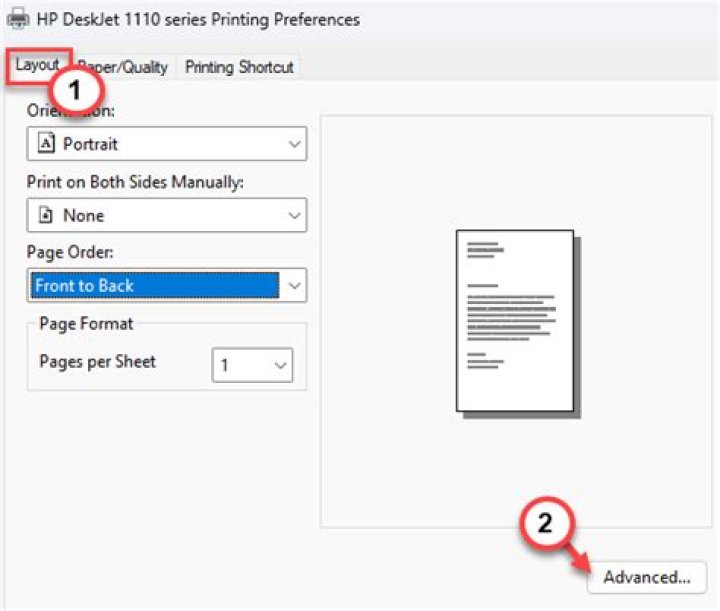
The printer (Canon PIXMA MP190) prints pages successfully - very clear - but I need to wait about 5 minutes for each page to be printed. It prints normally (fast) about one half of page, then it stops... The another half of page is printed very slowly.
I am running 14.04. In the previous versions (<= 13.10), the printer was working properly.
What can be the issue? The clarity?
I don't need such a good clarity, but I don't know how to change it.
How can I solve the problem?

I have another machine running Elementary Isis Beta (that is based on Ubuntu 14.04, I guess). The printer works fine, being connected to that machine.
Relevant outputs:
# Elementary Isis Beta $ uname -a Linux ionica-desktop 3.13.0-29-generic #53-Ubuntu SMP Wed Jun 4 21:00:20 UTC 2014 x86_64 x86_64 x86_64 GNU/Linux # The main machine, running Ubuntu 14.04, having the issue $ uname -a Linux laptop 3.13.0-29-generic #53-Ubuntu SMP Wed Jun 4 21:00:20 UTC 2014 x86_64 x86_64 x86_64 GNU/Linux 1 Answer
Unfortunately, your printer is listed as a paperweight by Open Printing. I take that to mean it will take a bit more work to get your printer up and running.
I did find this old Ubuntu Forums thread, which gave us some instructions on how to install the printer from Canon's provided files.
Anyway, you're supposed to:
Download the .tar file from Canon. (Make sure you read and agree to the license agreement at that link.)
wgetExtract everything.
tar -xf ./MP190_debian_drivers.tar tar -xf ./MP190_debian_printer.tar tar -xf ./MP190_debian_scangear.tarUnpackage the driver. You need to modify the dependencies after.
dpkg-deb -x cnijfilter-common_3.00-1_i386.deb common dpkg-deb --control cnijfilter-common_3.00-1_i386.debOpen the file named
controlin the new DEBIAN folder with a text editor. Here I usenano, but you can usegedit,kate,leafpad, orwhat have you.nano ./DEBIAN/controlOne Line 6, which lists
Depends:, changelibcupsys2tolibcups2. There is no need to change anything else, though it can be mildly amusing to change theDescription:. Save and quit.Copy the
DEBIANfolder into thecommonfolder/cp -R ./DEBIAN ./commonRepackage the driver.
dpkg -b common cnijfilter-common_3.00-1_i386.debClean up.
rm -r ./common ./DEBIANRepeat the process of unpackaging, modifying, and repackaging for
cnijfilter-mp190series_3.00-1_i386.deb.
In short:
wget tar -xf ./MP190_debian_drivers.tar tar -xf ./MP190_debian_printer.tar dpkg-deb -x cnijfilter-common_3.00-1_i386.deb common dpkg-deb --control cnijfilter-common_3.00-1_i386.deb sed -i 's/libcupsys2/libcups2/' ./DEBIAN/control cp -R ./DEBIAN ./common dpkg -b common cnijfilter-common_3.00-1_i386.deb rm -r ./common ./DEBIAN dpkg-deb -x cnijfilter-mp190series_3.00-1_i386.deb common dpkg-deb --control cnijfilter-mp190series_3.00-1_i386.deb sed -i 's/libcupsys2/libcups2/' ./DEBIAN/control cp -R ./DEBIAN ./common dpkg -b common cnijfilter-mp190series_3.00-1_i386.deb rm -r ./common ./DEBIAN sudo dpkg -i ./cnijfilter-*.deb