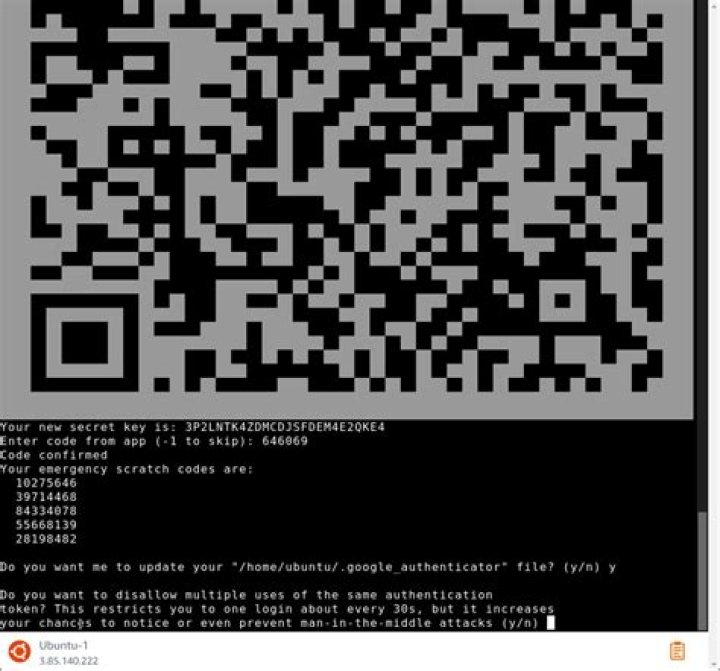

I have Ubuntu 20.04.3 LTS where I have successfully installed Google authenticator for MFA authentication, now I need a help on the steps of authentication, my goal is this:
If a user has no ssh-key then on SSH connection the user must first enter their password and then enter the Google verification key to get system access.
If a user has an ssh-key then there is no need to enter a password, but they should need to enter the Google verification key.
Now does it possible, if yes then what kind of settings I need to do in /etc/ssh/sshd_config and /etc/pam.d/sshd
Here is my existing /etc/pam.d/sshd configuration
# Standard Un*x password updating. @include common-password # Standard Un*x authentication. @include common-auth # Standard Un*x authentication. auth required pam_google_authenticator.so nullok user=root secret=/root/totp/${USER} auth required pam_permit.so And here is /etc/ssh/sshd_config file
ChallengeResponseAuthentication yes UsePAM yes PubkeyAuthentication yes AuthorizedKeysFile .ssh/authorized_keys PermitRootLogin yes PasswordAuthentication no AuthenticationMethods publickey,keyboard-interactive 1 Answer
Presuming you have everything installed correctly i.e. Installed with:
sudo apt-get install libpam-google-authenticator And got a code with
google-authenticator And there is a code in your home folder at
ls /home/$USER/.google_authenticator Then you should add the following two lines to your /etc/pam.d/sshd
... # Standard Un*x password updating. @include common-password auth required pam_google_authenticator.so auth required pam_permit.so ... Or if you want MFA to be optional for some users
... # Standard Un*x password updating. @include common-password auth required pam_google_authenticator.so nullok auth required pam_permit.so ... In your /etc/ssh/sshd_config file change:
ChallengeResponseAuthentication yes Then:
sudo systemctl restart sshd.service When testing don't kill your ssh connection start a new one, if you config is wrong you can be locked out
5