
I installed java jdk hotspot 1.7. When I type java -version I am getting:
java version "1.7.0" Java(TM) SE Runtime Environment (build 1.7.0-b147) This is correct.
And I tried to install maven, and added to /etc/environment file:
JAVA_HOME=/usr/lib/jvm/jdk1.7.0 M2_HOME=/usr/local/apache-maven/apache-maven-3.0.4 MAVEN_HOME=/usr/local/apache-maven/apache-maven-3.0.4 M2=/usr/local/apache-maven/apache-maven-3.0.4/bin Now When I type mvn I am getting:
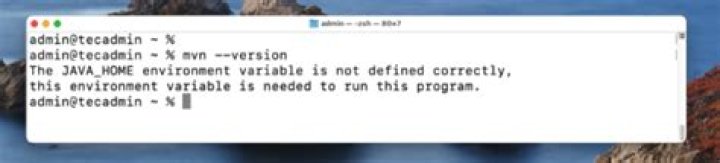
Error: JAVA_HOME is not defined correctly. We cannot execute ”/usr/lib/jvm/jdk1.7.0”/bin/java However I am not putting " mark for JAV_HOME var in environment file.
It is trying to run from
”/usr/lib/jvm/jdk1.7.0”/bin/java path, Actually it should be
/usr/lib/jvm/jdk1.7.0/bin/java When I command
$JAVA_HOME I am getting:
bash: ”/usr/lib/jvm/jdk1.7.0”: No such file or directory I am sure the path(/usr/lib/jvm/jdk1.7.0) is correct.
1 Answer
JAVA_HOME should be set to the name of the directory that contains the bin directory that contains the Java executables (in particular, java itself).
Assuming you do have a /usr/lib/jvm/jdk1.7.0 directory, it probably contains a jre subdirectory that contains the bin directory that contains java and related executables.
So you should probably be setting JAVA_HOME to /usr/lib/jvm/jdk1.7.0/jre rather than /usr/lib/jvm/jdk1.7.0.