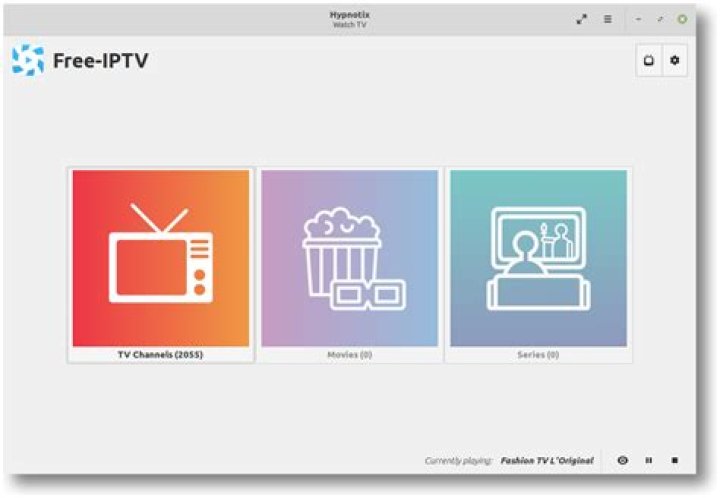
LinuxMint ships IPTV application named Hypnotix with 2.6 version.
Hypnotix is an IPTV streaming application with support for live TV, movies and series.

1 Answer
There are two ways to install Hypnotix - compilation and binary deb-package installation as follows:
Compilation from sources on 20.04 LTS and 21.10 is done by:
sudo apt-get install git debhelper cd ~/Downloads git clone -b 2.6 cd hypnotix dpkg-buildpackage -uc -us sudo apt-get install ../hypnotix_2.6_all.debBinary package installation from “Wasta-Linux” team Cinnamon-Testing PPA.
On Ubuntu 20.04 LTS the above PPA should be added in simple way:
sudo apt-add-repository ppa:wasta-linux/cinnamon-testingNote: for Ubuntu 21.10 additional step is needed -
sudo sed -i "s/impish/focal/g" /etc/apt/sources.list.d/wasta-linux-ubuntu-cinnamon-testing-impish.listThen update package lists, allow installation of only one Hyphotix package and install it by:
sudo apt-get update cat <<EOF | sudo tee /etc/apt/preferences.d/pin-hypnotix Package: * Pin: release o=LP-PPA-wasta-linux-cinnamon-testing Pin-Priority: -1 Package: hypnotix Pin: release o=LP-PPA-wasta-linux-cinnamon-testing Pin-Priority: 1000 EOF sudo apt-get install hypnotixTo revert the changes use the following commands:
sudo apt-get install aptitude ppa-purge sudo rm /etc/apt/preferences.d/pin-hypnotix sudo ppa-purge ppa:wasta-linux/cinnamon-testing sudo apt-get autoremove
Possible alternative with easier installation is Astroncia IPTV, it is installable from its PPA for Ubuntu 18.04 LTS and newer versions:
sudo add-apt-repository ppa:astroncia/iptv sudo apt-get update sudo apt-get install astroncia-iptv It has favourites functionality.
0