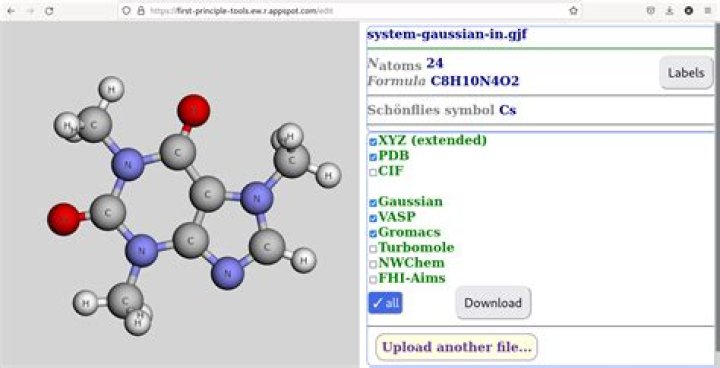

The gjf format is as follows:
%chk=test.chk # hf/3-21g geom=connectivity Title Card Required 0 1 C 0.53424883 1.46721985 -0.02620215 H 0.89090326 0.45840985 -0.02620215 H 0.89092167 1.97161804 0.84744935 H 0.89092167 1.97161804 -0.89985366 H -0.53575117 1.46723303 -0.02620215 1 2 1.0 3 1.0 4 1.0 5 1.0 2 3 4 5 and xyz format is as follows:
5 # this is the number of atoms C 0.53424883 1.46721985 -0.02620215 H 0.89090326 0.45840985 -0.02620215 H 0.89092167 1.97161804 0.84744935 H 0.89092167 1.97161804 -0.89985366 H -0.53575117 1.46723303 -0.02620215 3 Answers
Here's a quick and dirty Awk refactoring.
#!/bin/sh for file_name in *.gjf; do awk '/[0-9]\.[0-9][0-9]/ { a[++n] = $0 } END { print n; print; for(i=1; i<=n; ++i) print a[i] }' "$file_name" > "${file_name%.gjf}.xyz" done In very brief, we collect the matching lines into the array a, then print their number, an empty line, and the lines themselves.
This obviously requires you to have enough RAM to keep all lines in memory. If not, a temporary file is probably better (but your attempt could still benefit from some light refactoring).
I wrote some thing like below and it works but it is almost stupid
#!/bin/bash for file_name in *.gjf; do grep '[0-9]\.[0-9][0-9]' $file_name | cat > tmp cp tmp tmp2 wc -l < tmp > ${file_name%.*}.xyz echo "" >> ${file_name%.*}.xyz cat tmp2 >> ${file_name%.*}.xyz rm tmp tmp2 done It is also good but not always!
#!/bin/bash for file_name in *.gjf; do tail -1 $file_name > ${file_name%.*}.xyz echo"" >> ${file_name%.*}.xyz grep '[0-9]\.[0-9][0-9]' $file_name >> ${file_name%.*}.xyz done