I'm not sure, but lightDM doesn't seem to work
32 Answers
USE SDDM which comes standard in lubuntu 18.10
Had to edit /etc/sddm.conf
Here is an example sddm.conf:
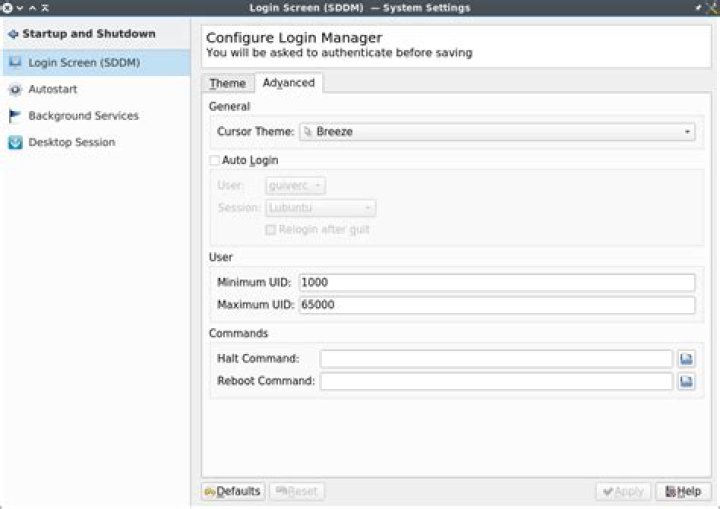
[Autologin] Relogin=false User=christian Session=Lubuntu go to Preferences -> KDE.System.Settings (in the menu)
In the Login Screen (SSDM) setting there is a checkbox for Auto Login. Ensure the check-box is clicked and your username should become easily readable.