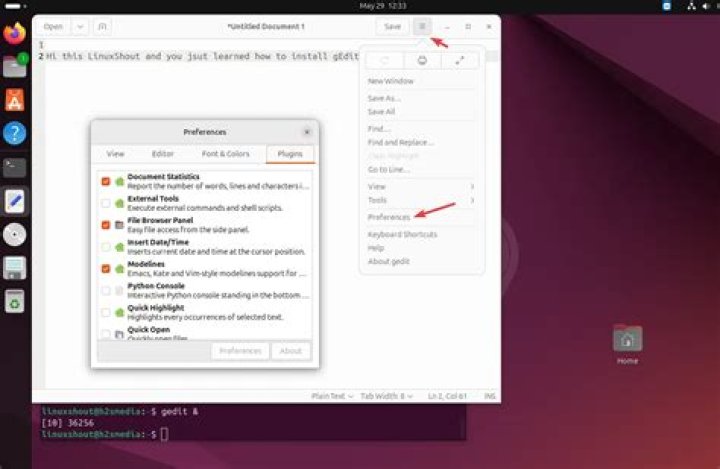

In Ubuntu 18.04 when I open a second text file, it opens in a new window out of the box.
In Ubuntu 19.10 when I open a second text file, it opens in the existing window with new tab.
I have tried the answers in this post configure gedit to always open in new window but no success.
How can I achieve this in Ubuntu 19.10?
2 Answers
According to this link If the .desktop file has the Entry DBusActivatable set to true It will ignore the Exec line.
DBusActivatable:
A boolean value specifying if D-Bus activation is supported for this application. If this key is missing, the default value is false. If the value is true then implementations should ignore the Exec key and send a D-Bus message to launch the application. See D-Bus Activation for more information on how this works. Applications should still include Exec= lines in their desktop files for compatibility with implementations that do not understand the DBusActivatable key.
Ubuntu 19.10 has this entry DBusActivatable=true for gedit .desktop file which is org.gnome.gedit.desktop file..
This answer is just a workaround because just to make the Exec key to work in this case.. I am making the DBusActivatable=false with out knowing the advantages of this key () and its implementation in newer versions of Ubuntu starting from 19.10.
Ok now we set the DBusActivatable=false this means Exec= line will work.
So in my case I have changed
Exec = gedit %U to
Exec = gedit --new-window from man gedit you can choose the options for [Desktop Action new-document]
--new-window Create a new toplevel window in an existing instance of gedit. --new-document Create a new document in an existing instance of gedit. -s, --standalone Run gedit in standalone mode. Edit the /usr/share/applications/gedit.desktop by changing the following line :
Exec=gedit %U by adding the --new-window option :
Exec=gedit --new-window %U It would define to always open gedit on a new window.
P.S : Here is my entire gedit.desktop file with this option, that worked well on 18.04 :
[Desktop Entry] Name=Text Editor Comment=Edit text files Exec=gedit --new-window %U Terminal=false Type=Application StartupNotify=true Icon=gedit Categories=GNOME;GTK;Utility;TextEditor; X-GNOME-DocPath=gedit/gedit.xml X-GNOME-FullName=gedit Text Editor X-GNOME-Bugzilla-Bugzilla=GNOME X-GNOME-Bugzilla-Product=gedit X-GNOME-Bugzilla-Component=general X-GNOME-Bugzilla-Version=3.28.1 X-GNOME-Bugzilla-ExtraInfoScript=/usr/share/gedit/gedit-bugreport.sh Actions=new-window;new-document; Keywords=Text;Editor;Plaintext;Write; X-Ubuntu-Gettext-Domain=gedit X-AppStream-Ignore=true [Desktop Action new-window] Name=New Window Exec=gedit --new-window [Desktop Action new-document] Name=New Document Exec=gedit --new-document You can note that the New Document option won't open a new window, you can add again this --new-window option to it (so it would be Exec=gedit --new-document --new-window instead of Exec=gedit --new-document)