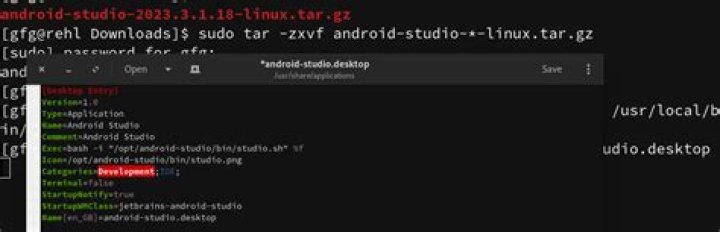

I'm sure the solution for this is trivial, but I haven't found the way to create a desktop file for an executable!
My desktop file is:
[Desktop Entry] Name=MOHAA LINUX Exec=mohaa_lnx Type=Application Categories=Game; StartupNotify=true Path="/home/lucho/.wine/drive_c/Program Files (x86)/EA GAMES/MOHAA/" Icon=BE1A_MOHAA.0 Terminal=false How I currently run this application is on a terminal window, cd-ing into the Path above, and then running ./mohaa_lnx. I have tried many options in the Exec bit, like ./mohaa_lnx, sh mohaa_lnx... but I get the same type of error:
Failed to execute child process "mohaa_lnx" (No such file or directory) Googling the above message hasn't been useful.
More info about folders and file:
lucho@lucho-HP:~/.wine/drive_c/Program Files (x86)/EA GAMES/MOHAA$ ls -l -rwxr-xr-x 1 lucho lucho 2027088 Sep 3 2004 mohaa_lnx 1 Answer
From my experience with .desktop files, you need to actually put the whole path in for the executable; I'm not exactly sure what the path field is for.
Change what comes after Exec: to /home/lucho/.wine/drive_c/Program\ Files\ \(x86\)/EA\ GAMES/MOHAA/mohaa_lnx
Also, change the Path: field to reflect that with the backslashes. You can't use quotes for spaces and special characters in Linux, as far as I have seen.
For future reference, put a backslash (\) before any special character, including spaces. Windows uses quotes.
The complete file should look something like this:
[Desktop Entry] Name=MOHAA for LINUX Exec=/home/lucho/.wine/drive_c/Program\ Files\ \(x86\)/EA\ GAMES/MOHAA/mohaa_lnx Type=Application Categories=Game; StartupNotify=true Path=/home/lucho/.wine/drive_c/Program\ Files\ \(x86\)/EA\ GAMES/MOHAA/ Icon=BE1A_MOHAA.0 Terminal=false