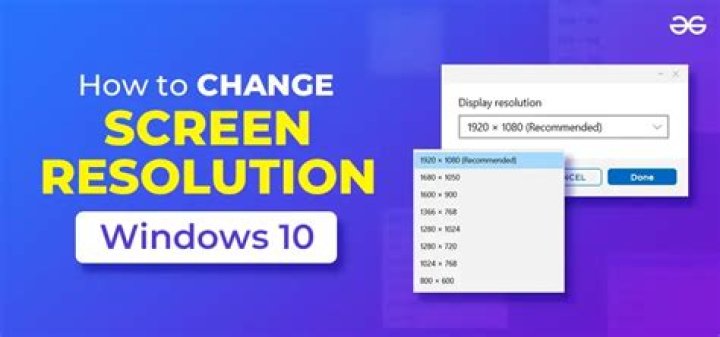

I've been manually setting my resolution/frequency for a while and decided it's finally time that I stop doing that, as it isn't saved after restart. Specifically, while my session does start in native resolution, it always default to 60Hz instead of 144Hz.
I would like to avoid setting the frequency after the start of the session.
After trying different things for a few hours, I come here hoping for help.
What works:
xrandr --output DVI-I-1 --mode 1920x1080 --rate 144 alternatively, the nvidia-settings gui allows to change the frequency
What I tried:
editing the /etc/gdm/Init/Default file with
PATH="/usr/bin/X11:/usr/X11R6/bin:/opt/X11R6/bin:$PATH" OLD_IFS=$IFS xrandr --output DVI-I-1 --mode 1920x1080 --rate 144 xset m 1/1 100 if [ ! -d /run/systemd/system ]; then /sbin/initctl -q emit login-session-start DISPLAY_MANAGER=gdm fi ... (disregard xset, used for mouse settings)
That would have been way too easy, this doesn't seem to have any effect.
I also tried to use the "save to X configuration file" feature of nvidia-settings, but I still end up at 1920*1080@60Hz after restart (nvidia-settings ran with sudo)
So I ran:
cvt 1920 1080 144 which output
# 1920x1080 143.88 Hz (CVT) hsync: 169.35 kHz; pclk: 452.50 MHz Modeline "1920x1080_144.00" 452.50 1920 2088 2296 2672 1080 1083 1088 1177 -hsync +vsync and edited again /etc/gdm/Init/Default file with:
PATH="/usr/bin/X11:/usr/X11R6/bin:/opt/X11R6/bin:$PATH" OLD_IFS=$IFS xrandr --newmode "1920x1080_144.00" 452.50 1920 2088 2296 2672 1080 1083 1088 1177 -hsync +vsync xrandr --addmode DVI-I-1 1920x1080_144.00 xrandr --output DVI-I-1 --mode 1920x1080_144.00 xset m 1/1 100 if [ ! -d /run/systemd/system ]; then /sbin/initctl -q emit login-session-start DISPLAY_MANAGER=gdm fi ... same result.
Here is the content of my xorg.conf:
# nvidia-settings: X configuration file generated by nvidia-settings # nvidia-settings: version 352.21 (buildd@lgw01-37) Thu Jul 23 11:50:49 UTC 2015 # nvidia-xconfig: X configuration file generated by nvidia-xconfig # nvidia-xconfig: version 352.63 (buildmeister@swio-display-x64-rhel04-11) Sat Nov 7 22:00:19 PST 2015 Section "ServerLayout" Identifier "Layout0" Screen 0 "Screen0" 0 0 InputDevice "Keyboard0" "CoreKeyboard" InputDevice "Mouse0" "CorePointer" Option "Xinerama" "0" EndSection Section "Files" EndSection Section "InputDevice" # generated from default Identifier "Mouse0" Driver "mouse" Option "Protocol" "auto" Option "Device" "/dev/psaux" Option "Emulate3Buttons" "no" Option "ZAxisMapping" "4 5" EndSection Section "InputDevice" # generated from default Identifier "Keyboard0" Driver "kbd" EndSection Section "Monitor" # HorizSync source: edid, VertRefresh source: edid Identifier "Monitor0" VendorName "Unknown" ModelName "Ancor Communications Inc VG248" HorizSync 30.0 - 160.0 VertRefresh 50.0 - 150.0 Option "DPMS" EndSection Section "Device" Identifier "Device0" Driver "nvidia" VendorName "NVIDIA Corporation" BoardName "GeForce GTX 770" EndSection Section "Screen" Identifier "Screen0" Device "Device0" Monitor "Monitor0" DefaultDepth 24 Option "Stereo" "0" Option "nvidiaXineramaInfoOrder" "DFP-0" Option "metamodes" "1920x1080_144 +0+0" Option "SLI" "Off" Option "MultiGPU" "Off" Option "BaseMosaic" "off" SubSection "Display" Depth 24 EndSubSection EndSection I discovered the "metamodes" "1920x1080_144 +0+0" line and tried editing /etc/gdm/Init/Default file with
xrandr --output DVI-I-1 --mode 1920x1080_144 and
xrandr --output DVI-I-1 --mode "1920x1080_144.00 +0+0" without better result.
I'm on Ubuntu Gnome 15.10.
I use Nvidia proprietary drivers (352.63) for my GTX 770 (GK104) graphic card.
21 Answer
sorry for my bad english. I've same problem. Restart at 60hz on Auto. under Mint 18 or Ubuntu 16.
The only way have found at this time, is to edit xorg.conf, and activate
Option "Xinerama" "1" ... but is not a good way for me, i've discover at least one game won't start ( Talos principle ): say RandR extension not present.