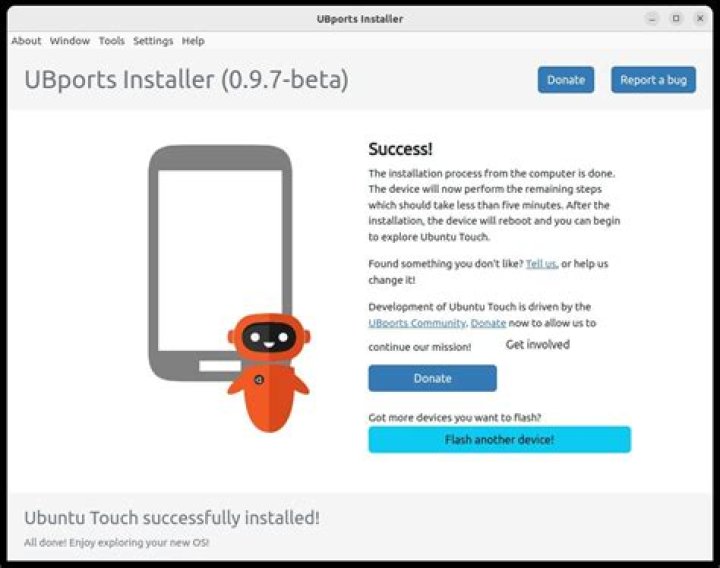

Here is the output after running ./dualboot.sh (link here)
No device ID specified, picking first available device Waiting for device CB006626 to install Ubuntu installer to. Detected connected Aquaris-5 Downloading recovery for aquaris5 ls: cannot access recovery-aquaris5-6.0.4.3.img: No such file or directory Skipping download, file already downloaded Dev:CB006626: selected full install Downloading SU package Skipping download, file already downloaded Downloading Ubuntu Installer application package Skipping download, file already downloaded install_ubuntu_installer<< Dev:CB006626: Rebooting to bootloader Waiting for device to be connected in normal or recovery mode recovery-aquaris5-6.0.4.3.img #I echoed the path to unbunt_installer CB006626 #I echoed the device_id < waiting for device > And my device stays like this reading => FASTBOOT mode...
Also, my device is an Aquarius e5 full-hd. It wasn't recognized by the bash file because it was looking for aquarius5 so it said "not supported" but it must be supported because it is an aq5 after all, just full-hd. This is, I changed
elif [[ "$DEVICE" == bq_Aquaris5* ]]; then echo "Detected connected Aquaris-5" DEVICE=$AQUARIS5 to:
elif [[ "$DEVICE" == Aquaris_E5* ]]; then echo "Detected connected Aquaris-5" DEVICE=$AQUARIS5 Any idea on why? What could be the problem? Tyvm for your feedback
62 Answers
I was trying exactly the same, same setup, and I think the critical error is this:
Downloading recovery for aquaris5 ls: cannot access recovery-aquaris5-6.0.4.3.img: No such file or directory or as I had it:
Waiting for device to be connected in normal or recovery mode Dev:: Waiting for fastboot to be ready cannot load 'recovery-aquaris5-6.0.4.3.img': No such file or directory Dev:: Waiting for adb recovery to be ready The problem is that the script uses:
# Used version of CWM recovery URL_CWM_PATH_BASE="" This XML file does not appear to have any style information associated with it. The document tree is shown below. <Error><Code>AccessDenied</Code><Message>Access Denied</Message>...</Error> ... so, clearly, the recovery images cannot be downloaded from here any more... There seems to be another website now:
... but there are no Aquaris ROMs there...
EDIT: Ok, did a bit more looking up into this. First, probably the title of this question should include "dual boot", because the dualboot.sh script is from .
Anyways, this is the thing: this script and concept (as on the Wiki page) assume there is stock Android on this device, and have relied on ClockworkMod (CWM) custom recovery image; it seems there was such an image for an Aquaris E5 in the past, but not anymore. Right now, the only custom recovery image which supports Aquaris E5 seems to be TWRP (Team Win Recovery Project), see:
I flashed my phone with this recovery image as per ; and I was wondering if the dual boot could be used with this recovery instead.
First, the dualboot.sh basically does a sideload of UPDATE-SuperSU-v1.93.zip and UPDATE-UbuntuInstaller.zip; here the SuperSU application will already be there from the TWRP recovery rooting procedure, and then we're left with UPDATE-UbuntuInstaller.zip. This zip can actually be sideloaded from a PC using the TWRP recovery, and then we get a "Ubuntu Dual Boot" app when Android is booted. Unfortunately,
It appears the device is not supported... Aquaris_E5_HD
Note that this device may appear as:
$ adb devices -l List of devices attached UA00XXXX recovery usb:1-1.3 product:omni_vegetahd model:Aquaris_E5_HD device:vegetahd # or UA00XXXX sideload usb:1-1.3 # or UA00XXXX device usb:1-1.3 product:Aquaris_E5_HD model:Aquaris_E5_HD device:Aquaris_E5_HD Here, we can get the source of this app:
$ bzr branch lp:humpolec $ cd humpolec/ ... and then, in (humpolec/)src/com/canonical/ubuntu/installer/Utils.java, do this hack:
public static boolean isBringupMode() { if (!UbuntuInstallService.BRINGUP_MODE) { String deviceModel = Build.DEVICE.toLowerCase(Locale.US); if ("bq_aquaris5".equals(deviceModel)) { return true; } if ("aquaris_e5_hd".equals(deviceModel)) { // ADD.. return true; // .. } // ..THIS return false; } return true; } ... and then to build:
JAVA_HOME=/path/to/android/jdk1.6.0_45 \ PATH=${PATH}:/path/to/android/adt-bundle-linux-x86-20140321/eclipse/plugins/org.apache.ant_1.8.4.v201303080030/bin:/path/to/android/adt-bundle-linux-x86-20140321/sdk/tools:/path/to/android/jdk1.6.0_45/bin \ ANDROID_HOME=/path/to/android/adt-bundle-linux-x86-20140321/sdk \ ant debug Here, to be able to sideload, you'll have to first unpack the UPDATE-UbuntuInstaller.zip as a directory, say, UPD-Ub, and then replace the .apk in there with the one built in previous step, and then repack the zip:
cp -a UPD-Ub UPD-UbNew cp -a humpolec/bin/UbuntuInstaller-debug.apk UPD-UbNew/system/app/UbuntuInstaller.apk rm -rf UPD-UbNew/system/app/UbuntuInstaller_apk # from previous unzip (cd UPD-UbNew; zip -r ../UPDATE-UbuntuInstallerNew.zip .) Then, when booted in TWRP recovery, you can sideload from PC with:
adb sideload UPDATE-UbuntuInstallerNew.zip ... and the updated app will install on phone.
Here, the app will open, and will even download from a channel (I tried stable/bq-aquaris.en) and unpack - however when you finally do "Reboot to Ubuntu" in the app, it will simply reboot to TWRP recovery. The problem is, the app still expects CWM recovery, and basically copies the data it downloaded in directories specific to CWM, not TWRP. And since CWM does not have a ROM for this device anymore, the app as such is unfortunately unusable for dual boot on this device.
The only other option for dual boot on Aquaris E5 seems to be MultiROM Manager app for Android, which seems to be based on/work with TWRP recovery - unfortunately, it does not recognize this device either: when it is started, it states: "This is unsupported device (Aquaris_E5_HD)!"
Just enable USB-Debugging in your Android developer options and click "OK" when a popup appears.
For explanation: Without USB-Debugging your computer can't send commands to your phone.