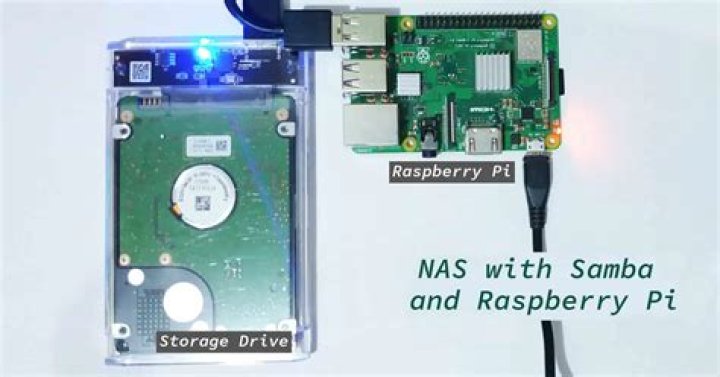

I got a raspberry pi 2 and an old hdd, so i wanted to create a samba share for this old hdd. I mounted my hdd with ntfs-3g to /media/usb which works fine.
I added this to my smb.conf file:
[smb] path = /media/usb available = yes read only = no browseable = yes public = yes writable = yes I set the permission with sudo chmod 777 -R /media/usb and restarted the samba service. Next i tried to access my smb from windows, but i couldn't. It said: "no access to " and something like ask your network administrator for permission(translated from dutch). Checking my permisions with ls -ld /media/usb I got drwxrwx---
I tried other configs but none of them seemed to work. At this point I created a second share to my smb.conf with the same config, but with /home as the path. Now this share works, but my first share still doesn't, but it has the same config.
I don't understand what's wrong and I can't find a solution. Can someone help me. Has this something to do with the hdd mount?
2 Answers
You have a problem in the samba configuration file. Since you are trying to access the share from Windows, you have to mention the workgroup as well under [global] settings section. This section is commented out by default.
such as below (this is just an example).
[global] workgroup = WORKGROUP server string = Samba Server %v netbios name = ubuntu security = user map to guest = bad user dns proxy = no ============================ Share Definitions ============================== [Anonymous] path = /samba/anonymous browsable =yes writable = yes guest ok = yes read only = no I hope this helps!Good Luck!
Clearly the permissions are not right. I set the permissions but the changes were lost multiple times. I auto-mounted the hdd with the following line in my fstab file:
sudo mount -t ntfs-3g -o uid=1000,gid=1000,umask=007 /dev/sda1 /media/NASDRIVE I noticed the umask=007 which caused my problems. I changed it to 000, which I know is not save.